Backup and Recovery
The second book of the Effective MySQL series provides the reader with the tools, knowledge and tips necessary for a successful MySQL Backup and Recovery Schedule. Included in this book are examples of mysqldump, LVM snapshots, mylvmbackup, MySQL Enterprise Backup (MEB), Xtrabackup and mydumper. Advanced options including compression, incremental backups, partial backups and remote capabilities are discussed and examples provided with an example 5GB database. 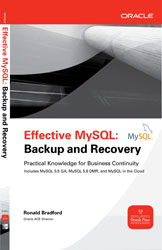
Chapters
- The Five Minute DBA – Download Sample Chapter (PDF)
- Understanding Backup Options
- Understanding Business Requirements
- Using Replication
- Understanding Recovery Options
- MySQL Configuration Options
- Disaster Scenarios
- Optimizing Backup & Recovery
- MySQL in the Cloud
All links in the book can be referenced in links.txt
Order Now
This title is available print, and ebook formats.
Kindle Version from Amazon & PDF version from McGraw-Hill.
 |
 |
Related Articles
Other Titles
See other titles in our series including:
Related Presentations
You may also like these related presentations:
Replication Techniques in depth
The third book of the Effective MySQL series provides the reader with the tools, knowledge and tips for managing a scalable MySQL Replication environment. 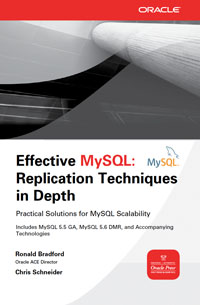
Chapters
- The Five Minute DBA
- Diagnosing Common Replication Problems
- Improving Standard Replication Features
- Understanding Multi-Master Replication
- MySQL Replication Tools
- Extending Replication for Practical Needs
- MySQL Configuration Options
- Monitoring Replication
Order Now
This title will be available print, and ebook formats from these retailers. You can pre-order now.
|
|
|
Other Titles
See other titles in our series including:
Related Presentations
You may also like these related presentations:
MySQL Disasters, and how to avoid yours

Organizations are always making improvements for scalability, however disaster preparedness is the poor cousin. This presentation will show you how to easily avoid the most common MySQL disaster situations.
Backup and recovery is critical for business continuity, many websites run the risk of data loss or corruption because existing procedures (if any) are generally flawed. Discussion includes:
- The essential backup options
- Why Binary logging for point in time recovery is important
- How replication changes things
- Recovery complexities
Presenter: Ronald Bradford
Schedule:
- Effective MySQL Meetup – May 2012- New York, NY
- South East Linux Fest 2012 – June 2012 – Charlotte, NC
MySQL Backup & Recovery Essentials
A hardware, software or human failure can occur at any time. Are you prepared?
Many organizations take a risk of serious data loss and system downtime with inadequate procedures in place to support a disaster recovery. This presentation covers the essentials of MySQL backup and recovery options, identifying the necessary tools for an effective strategy to support data resilience and business continuity for your organization. MySQL has no one single unbreakable backup solution, so it is important to understand the impact of MySQL replication, storage engines, configuration options for durability, hardware configuration and the impact on locking and uptime for the various hot/warm/cold options available.
Short Url: http://j.mp/EM-BandR
Presenter: Ronald Bradford
Schedule: RMOUG QEW – May 2012- Denver, Colorado
LAMP Performance Optimizations – Volume 1
Get a detailed introduction to the very broad topic of end-to-end performance optimization in web applications based on LAMP stack (Linux, Apache, MySQL, PHP).
Short Url: http://j.mp/EM-LAMP-opt
Presenter: Ronald Bradford
Schedule:
- OTN MySQL Developer Day in May 2012 – New York.
- Effective MySQL Meetup York and Web Performance Meetup. – July 2011 New York
Setting up Google Cloud SQL
You can activate Google Cloud SQL from the Google APIs Console at https://code.google.com/apis/console. NOTE: At the time of this publication this was in limited beta.
From the Google APIs console, you can create a new instance. You can then use the Web interface to run SQL statements, import and export data. There is also a Google SQL command line client that can be configured with:
# Java 6 is a dependency of the Google SQL client $ [ -z `which java 2>/dev/null` ] && sudo apt-get install -y openjdk-6-jre-headless $ [ -z `which unzip 2>/dev/null` ] && sudo apt-get install -y unzip $ cd $HOME $ mkdir cloud-sql $ cd cloud-sql/ $ wget http://dl.google.com/cloudsql/tools/google_sql_tool.zip $ unzip ../google_sql_tool.zip $ ./google_sql.shPlease authorize Google SQL Service for your Google Account at: http://goo.gl/XXXX Enter Authorization Code: ************************* sql> show schemas; +--------------------+ | Database | +--------------------+ | information_schema | | mysql | | performance_schema | +--------------------+ 3 rows in set (0.10 sec)
NOTE: The *first time* you access your instance you need to confirm authorization by going to the provided URL.
Setting up AWS RDS
Amazon Web Services (AWS) provides a managed MySQL solution via Relational Database Service (RDS). The following instructions will enable you to configure and run RDS. Refer to Using Amazon Web Services for initial information about AWS requirements.
The following instructions are for Ubuntu.
Pre-requisites
$ [ -z `which java 2>/dev/null` ] && sudo apt-get install -y openjdk-6-jre-headless
$ [ -z `which unzip 2>/dev/null` ] && sudo apt-get install -y unzip
Installation
# See http://docs.amazonwebservices.com/AmazonRDS/latest/CommandLineReference/Welcome.html?r=8890
$ cd $HOME
$ mkdir -p aws
$ cd aws
$ wget http://s3.amazonaws.com/rds-downloads/RDSCli.zip
$ unzip RDSCli.zip
$ ln -s RDSCli-*/ rds
Configuration
You need to create the $HOME/aws/credentials file with your specific account details.
AWSAccessKeyId=XXXXXXXXXXXXXXXXX
AWSSecretKey=YYYYYYYYYYYYYYYYYYYYYYYYYYYYYYYYYYYYYYYYYY
The following should be added to a given startup profile
export JAVA_HOME=/usr/lib/jvm/java-6-openjdk/jre
export AWS_RDS_HOME=$HOME/aws/rds
export PATH=$AWS_RDS_HOME/bin:$PATH
export AWS_CREDENTIAL_FILE=$HOME/aws/credentials
A number of different MySQL versions are available.
$ rds-describe-db-engine-versions -e mysql
VERSION  mysql  5.1.45  mysql5.1  MySQL Community Edition  Mysql 5.1.45
VERSION  mysql  5.1.49  mysql5.1  MySQL Community Edition  MySQL 5.1.49-R1 with innodb plugin
VERSION  mysql  5.1.50  mysql5.1  MySQL Community Edition  MySQL 5.1.50-R3
VERSION  mysql  5.1.57  mysql5.1  MySQL Community Edition  MySQL 5.1.57-R1
VERSION  mysql  5.1.61  mysql5.1  MySQL Community Edition  MySQL 5.1.61-R1
VERSION  mysql  5.5.12  mysql5.5  MySQL Community Edition  MySQL 5.5.12-R1
VERSION  mysql  5.5.20  mysql5.5  MySQL Community Edition  MySQL 5.5.20-R1
VERSION  mysql  5.5.8   mysql5.5  MySQL Community Edition  MySQL 5.5.8.R1 GA
Verification
$ rds-describe-db-instances
$ rds-describe-db-parameter-groups
DBPARAMETERGROUP  default.mysql5.5  mysql5.5  Default parameter group for mysql5.5
It is not possible to change the default parameter group so you need to create a copy for any future configuration modifications.
$ rds-create-db-parameter-group running-mysql55 -d 'Running MySQL 5.5' -f mysql5.5
Creating a new instance
$ rds-create-db-instance book2 --db-instance-class db.m1.large --allocated-storage 20 --engine mysql --master-username dba --master-user-password passwd --db-parameter-group-name running-mysql55
DBINSTANCE  book2  db.m1.large  mysql  20  dba  creating  1  ****  n  5.5.20  general-public-license
      SECGROUP  default  active
      PARAMGRP  running-mysql55  in-sync
$  rds-describe-db-instances
DBINSTANCE  book2  db.m1.large  mysql  20  dba  creating  us-east-1a  1  ****  n  5.5.20  general-public-license
      SECGROUP  default  active
      PARAMGRP  running-mysql55  in-sync
It can take some time (e.g. 5-10 minutes for your instance to be available. When ready it will show available. In this case, the instance host is defined, however the instance is not yet accessible.
$ rds-describe-db-instances
DBINSTANCE  book2  2012-04-18T15:09:08.420Z  db.m1.large  mysql  20  dba  backing-up  book2.cqmcgpjfkies.us-east-1.rds.amazonaws.com  3306  us-east-1a  1  n  5.5.20  general-public-license
      SECGROUP  default  active
      PARAMGRP  running-mysql55  in-sync
While waiting, you can create the necessary permissions to access the RDS instance.
$ rds-describe-db-security-groups
SECGROUP  default  default
$ rds-authorize-db-security-group-ingress default --cidr-ip 10.194.163.1/21
SECGROUP  default  default
      IP-RANGE  10.194.163.1/21  authorizing
$ rds-describe-db-security-groups
SECGROUP  default  default
      IP-RANGE  10.194.163.1/21  authorized
$ rds-describe-db-instances
DBINSTANCE  book2  2012-04-18T15:09:08.420Z  db.m1.large  mysql  20  dba  available  book2.cqmcgpjfkies.us-east-1.rds.amazonaws.com  3306  us-east-1a  1  n  5.5.20  general-public-license
      SECGROUP  default  active
      PARAMGRP  running-mysql55  in-sync
The following can be used to monitor.
$ while [ : ]; do  date; rds-describe-db-instances; sleep 15; done
Wed Apr 18 19:27:14 UTC 2012
DBINSTANCE  book2  db.m1.large  mysql  20  dba  creating  1  ****  n  5.5.20  general-public-license
      SECGROUP  default  active
      PARAMGRP  running-mysql55  in-sync
...
Wed Apr 18 19:35:48 UTC 2012
DBINSTANCE  book2  2012-04-18T19:31:51.919Z  db.m1.large  mysql  20  dba  available  book2.cqmcgpjfkies.us-east-1.rds.amazonaws.com  3306  us-east-1c  1  n  5.5.20  general-public-license
      SECGROUP  default  active
      PARAMGRP  running-mysql55  in-sync
Confirmation of running MySQL Instance.
$ mysql -udba -ppasswd -hbook2.cqmcgpjfkies.us-east-1.rds.amazonaws.com -e "SELECT VERSION()"
+------------+
| VERSION()  |
+------------+
| 5.5.20-log |
+------------+
Terminating
$ rds-delete-db-instance book2 --skip-final-snapshot
    Once you begin deleting this database, it will no longer be able to accept
    connections.
    Are you sure you want to delete this database? [Ny]y
DBINSTANCE  book2  2012-04-18T14:58:54.251Z  db.m1.large  mysql  20  dba  deleting  book2.cqmcgpjfkies.us-east-1.rds.amazonaws.com  3306  us-east-1a  1  n  5.5.20  general-public-license
      SECGROUP  default  active
      PARAMGRP  default.mysql5.5  in-sync
You can pass -f to avoid the prompt.
